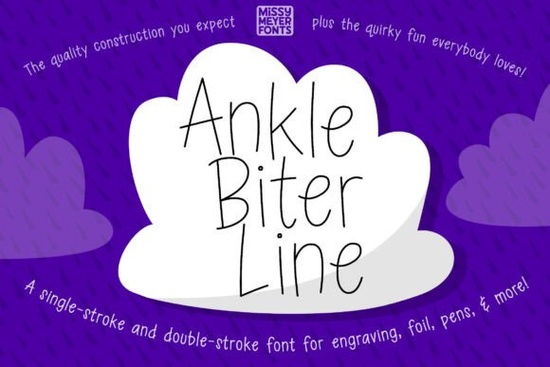
If you work with drawing tools like Cricut pens, foil quills, or laser engravers, you know that standard fonts often cause double lines or messy cuts. Ankle Biter Line Font solves this by offering a true single-line design that draws cleanly in one pass. This playful, handwritten style features tall, friendly letterforms adapted from the original Ankle Biter Print outline, making it ideal for personalized gifts, engraved jewelry, and custom cutting boards. Unlike regular typefaces, this font is built specifically for tools that draw paths rather than fill shapes.
What makes a single-line font better for drawing tools?
Standard fonts are designed for printing, which means machines often trace the outer and inner edges of each letter. This creates double lines that can ruin an engraving or waste ink with sketch pens. A single-line font like this one provides a continuous path, so your tool moves efficiently without retracing. The result is a crisp, uniform stroke that looks like neat handwriting.
The font includes both single-stroke and double-stroke versions. Single-stroke is the go-to for most drawing applications, from infusible ink pens to Glowforge lasers. The double-stroke version is helpful if your design software struggles to recognize single-line paths or if you need a slightly thicker outline for specific materials. Having both options ensures you can switch between programs without losing compatibility.
While Veloura brings a fluid script elegance to printed invitations, a line font serves a different purpose by optimizing path data for physical tools. Choosing the right style depends on whether your machine is printing ink or drawing a continuous line.
Which machines and software work best?
This font works with popular crafting ecosystems, but a few settings matter. For Cricut Design Space users, the typeable font generally performs well, though you might encounter a display hiccup on the "Make It" screen. The download includes a quick PDF guide that walks you through the fix, so you can keep working without delay.
If you use Brother CanvasWorkspace, the typeable fonts may not display correctly due to how the software handles stroke data. In this case, the included SVG file is the best solution. The SVG contains the full character set, allowing you to manually arrange letters while preserving the single-line structure. This backup file is also useful for older cutting machine software or web-based editors that don't support typeable fonts.
For projects that require a heavier hand-drawn feel, Maddison Thick offers substantial weight, but remember that thick scripts often require print-then-cut workflows rather than direct drawing. Line fonts remain the most reliable choice for engraving and pen tools.
How can I use this font for small business projects?
The tall x-height and open counters make this font highly legible even at smaller sizes. This is crucial for engraving tasks where space is limited. On wooden cutting boards or acrylic keychains, the friendly curves add a homemade charm without looking cluttered. For greeting cards, the single-line style mimics the look of a fine-tip marker, giving mass-produced items a hand-crafted feel that customers appreciate.
Print-on-demand sellers can use this font for products that simulate handwriting without the bulk of a filled font. It works well on minimalist card designs, custom notebooks, or kitchenware where a light, airy aesthetic appeals to buyers looking for personalized touches. The clean lines also prevent tools from damaging delicate metals when engraving jewelry, ensuring consistent depth and finish.
Mixing fonts can add personality to a design. Pairing this line font with a decorative choice like Handmade Cupcakes works well for birthday cards, using the line font for clear messaging and the decorative font for playful accents. This combination keeps the layout balanced and readable.
What should I check before starting a project?
Always test the stroke width on a scrap material first. Different pens and engraving tips can produce varying line thicknesses, and a quick test helps you adjust pressure or speed settings. If your software allows, verify that the font is set to "draw" or "score" rather than "cut" to avoid unwanted blade actions.
For branding materials that need a pop of intensity, Darkpink provides a bold contrast that stands out against the lighter stroke of a single-line typeface. Using contrasting styles helps create visual hierarchy on packaging or labels.
You can review the full character map and file details on the Ankle Biter Line listing to ensure it matches your project requirements. The package includes all the files you need for flexible use across different machines.
Quick setup checklist for smooth results
- Choose the right file: Use the single-stroke font for most drawing tools; switch to double-stroke if your software needs filled paths.
- Use the SVG for Brother: If CanvasWorkspace shows display errors, import the SVG file for manual letter placement.
- Read the Cricut PDF: Consult the included guide if you see issues on the "Make It" screen in Design Space.
- Test on scrap material: Check line thickness and tool pressure before running your final design.
- Set action to Draw: Ensure your machine is set to draw or engrave, not cut, when using line fonts.
Download Ankle Biter Line Font to access the typeable files, SVG character set, and troubleshooting guide for your next crafting project.
Download Now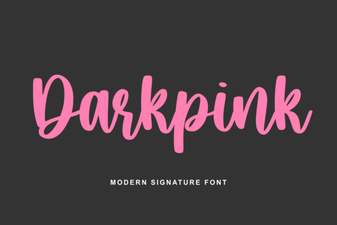 Dark Pink Font for Bold and Creative Designs
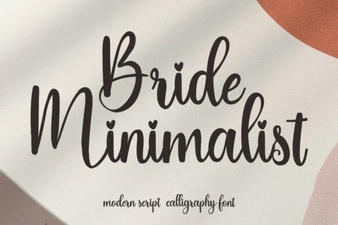 Minimalist Fonts for Wedding Stationery Design
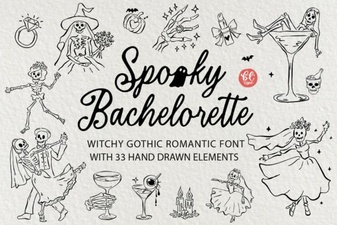 Spooky Bachelorette Party Invitation Font Ideas
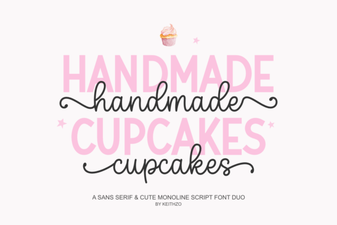 Fonts Inspired by Baking & Decorating Cupcakes
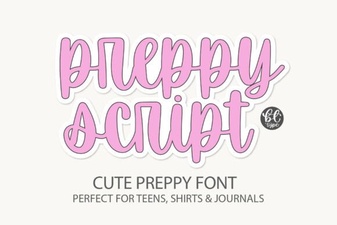 Preppyscript: Friendly Creative Font Styles
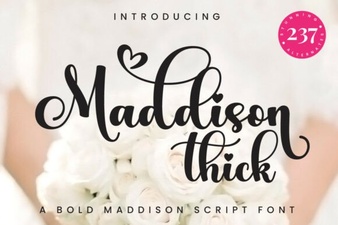 Creative Projects Using the Maddison Thick Font