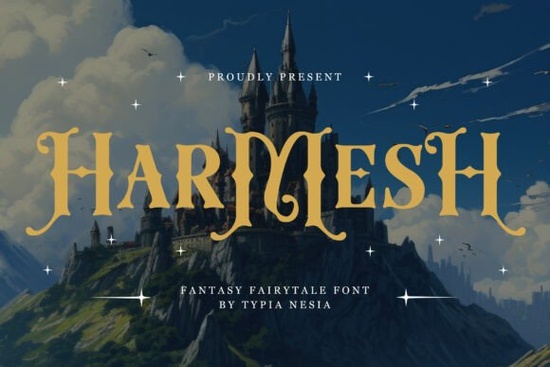
If you are looking for a typography asset that instantly sets a magical tone without feeling overused, the Harmesh Font delivers exactly that balance of elegance and fantasy. Designers and crafters often struggle to find decorative type that remains readable while still carrying a strong vintage charm. This serif typeface solves that problem by combining ornate letterforms with practical design features. Whether you are laying out a print-on-demand shirt, designing an indie book cover, or crafting a wedding invitation, you get a versatile tool that scales cleanly across different media.
Where does this typeface work best in real projects?
The strength of any fairytale-inspired typeface lies in its adaptability. Instead of limiting yourself to one niche, you can use these ornate glyphs across multiple creative channels. Game developers frequently choose this style for title screens that need to feel immersive. Independent authors lean on it for spine and front cover typography where a touch of medieval romance sells the genre at a glance. Small business owners use it on packaging labels, café menus, or boutique signage to give everyday items a handcrafted, upscale feel. Crafters also find it reliable for vinyl cutouts, iron-on transfers, and digital scrapbooking elements where clean vector paths matter.
How do you access the alternate characters and swashes?
Many decorative fonts hide their best features behind complex shortcuts, which slows down your workflow. The Harmesh typeface avoids this friction by using standard PUA encoding. When you install it, you will not need third-party glyph managers or special plugins. Simply open your design software, locate the private use area in the character map, and drag the alternates directly into your layout. This setup works smoothly in Adobe Illustrator, Affinity Designer, Procreate, and most Cricut or Silhouette design apps. You can toggle between standard capitals and their flourished counterparts without breaking your text box formatting.
What spacing rules should you follow?
Because this style leans heavily on extended tails and decorative loops, it needs room to breathe. Tight kerning will cause the swashes to overlap and turn muddy, especially at smaller print sizes. I always recommend leaving extra tracking space around titles, then scaling the font up to at least 24 points for readability. When working with body copy or product descriptions, pair the ornate display letters with a simpler, highly legible typeface. You can browse clean classic serifs like Poina for subtitles that ground the layout without competing for attention.
How does it pair with other vintage styles?
Mixing heavy ornamentation with minimalist or geometric fonts creates visual hierarchy. The trick is to let one style handle the headline while the other manages supporting text and data labels. If your project leans toward rustic or artisanal branding, try contrasting these whimsical shapes against structured vintage typefaces like Clostha. The clean geometry balances the flowing curves and keeps pricing lists, ingredient tables, or event details easy to scan. For seasonal campaigns or fantasy-themed merchandise, exploring seasonal alternatives gives you extra decorative swashes to rotate through social media posts and promotional banners. When you are ready to compare licensing options, checking the complete ornamental collection helps you spot matching weights and bonus glyphs.
What should you check before sending files to print?
Digital previews often hide printing errors until you actually cut vinyl or pull a test sheet. Always convert your text to outlines before exporting final PDFs or SVGs for manufacturers. This step locks the PUA characters in place so they do not revert to missing boxes on someone else’s computer. Run a quick checklist before approving your proof:
- Verify glyph substitution: Open your exported file and confirm every swash and decorative ligature appears correctly.
- Check stroke thickness: Thin ornamental tails can disappear on small stickers or fabric transfers, so bump up the scale if needed.
- Test legibility at a glance: Step three feet back from your screen. If the headline blends together, adjust the tracking before finalizing.
- Match color contrast: Heavy serif ornaments look sharpest on light backgrounds or solid dark colors, not busy photographic prints.
- Review licensing terms: Confirm commercial use covers your specific output, whether it is physical products, digital templates, or merchandise.
Start with a simple two-line headline to test how the alternate capitals interact with your brand colors. Adjust the line height slightly so the descenders and swashes do not clash with the row below. Once you have a clean hierarchy in place, apply the type to one main asset, like a poster or product mockup, before rolling it out across your entire shop. You can download the Harmesh Font from Creative Fabrica and keep a backup copy in your design folder. Save your most successful letter combinations as style presets to speed up future campaigns and maintain visual consistency.
Download Now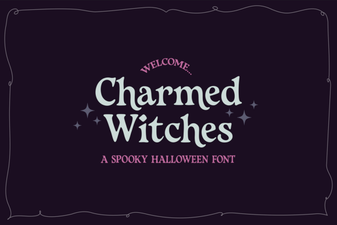 Charmed Witches Font for Your Creative Projects
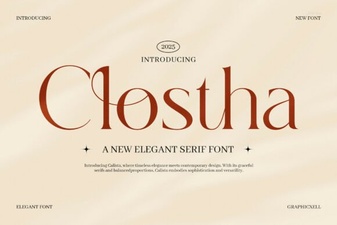 Design with Clostha: Fonts for Modern Projects
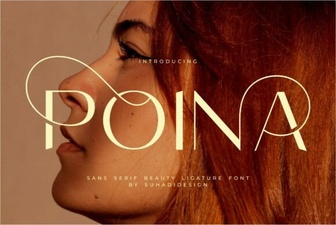 Poina Font: Modern Design for Creative Projects
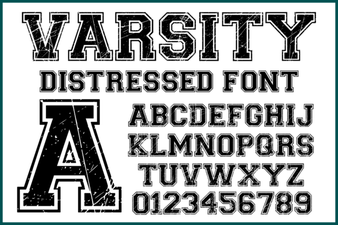 Varsity Distressed Font: Style and Design Ideas
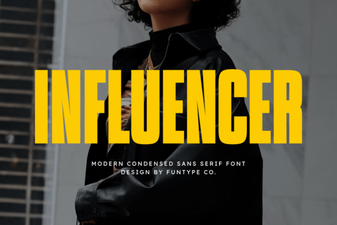 Crafting Font Styles for Social Media Influencers
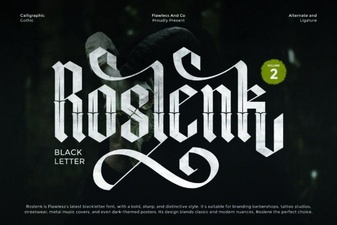 Roslenk Volume 2: Project Design Ideas & Font Usability