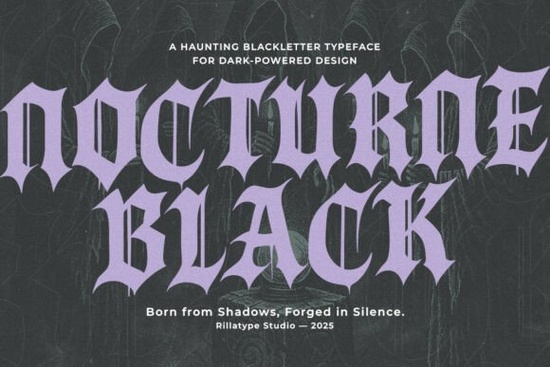
If you need a typeface that delivers immediate dark atmosphere without sacrificing readability, Nocturne Black Font is built for that exact purpose. This blackletter family leans into gothic calligraphy while keeping the letterforms clean enough for modern print and digital layouts. Designers, print-on-demand sellers, and creative hobbyists who work with horror themes, alternative branding, or seasonal merchandise will find it fits neatly into projects that require sharp edges and moody contrast.
What makes this blackletter typeface stand out?
Traditional gothic fonts often struggle with spacing or become too decorative for practical use. This family avoids those pitfalls by balancing heavy stroke weight with open counters and consistent baseline alignment. The letterforms carry that classic medieval sharpness, but the curves are refined so words remain legible at smaller sizes. You get a complete character set covering uppercase, lowercase, numbers, and standard punctuation, which means you can type out full headlines, product descriptions, or event details without switching to a backup font. If you usually pair heavy display type with simpler companions, you might also explore how a companion like Roslenk Volume 2 handles contrast in multi-font layouts.
Which projects actually benefit from dark gothic lettering?
Not every design needs a dramatic typeface, but certain niches rely on that heavy, atmospheric feel. Halloween invitations, haunted house branding, and seasonal apparel prints respond well to sharp blackletter shapes. Metal band posters, alternative lifestyle merchandise, and tattoo flash sheets also use this style to communicate edge and tradition. For small businesses selling stickers, mugs, or tote bags through print-on-demand platforms, a gothic display font helps products stand out in crowded marketplaces. When you want something slightly heavier for packaging or merch mockups, checking how Darkhusk handles thick stroke distribution can give you a useful comparison point.
How do the four included styles change your workflow?
The family ships with Regular, Slanted, Inked, and Inked Slant. The Regular cut works best for primary headlines and centered logos where you want clean, uniform weight. Slanted adds forward momentum without distorting the original proportions, making it useful for subheads or dynamic poster layouts. The Inked versions introduce hand-drawn texture that mimics traditional pen nibs and slight ink bleed. That roughness reads beautifully on distressed paper backgrounds, vintage-style labels, or grunge apparel prints. Inked Slant combines both effects for layouts that need motion and raw texture at the same time. Switching between these styles inside the same project keeps your typography consistent while giving you enough variation to build visual hierarchy.
What should you keep in mind before adding it to your library?
Blackletter typefaces perform best when you give them breathing room. Tight tracking can cause the sharp terminals to clash, so increase letter spacing slightly for longer words. Pair the font with a clean sans serif or a light serif for body copy to maintain readability across web pages and product listings. Always test your final export at the actual print size, especially if you are using the Inked styles, since fine texture can soften on certain paper stocks or fabric transfers. If you are building a darker typographic system for a brand or series, looking at how Necrosarqe Regular handles baseline rhythm might help you decide which weight distribution fits your layout best. You can also preview Nocturne Black Font directly on the marketplace to check licensing terms and file formats before downloading.
Before you finalize your design, run through this quick checklist:
- Test all four styles at your intended print or screen size to confirm texture clarity.
- Add 2–5% letter spacing to prevent sharp corners from overlapping.
- Pair with a neutral body font to keep long descriptions readable.
- Export a high-contrast PNG or vector file for print-on-demand mockups.
- Verify your license covers commercial use if you plan to sell finished products.
Adjust your layout, run a quick test print, and you will have a dark, polished typographic piece ready for your next project.
Learn More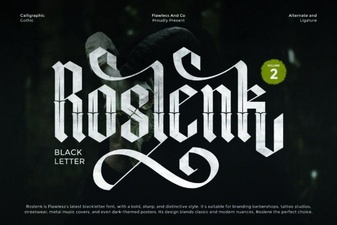 Roslenk Volume 2: Project Design Ideas & Font Usability
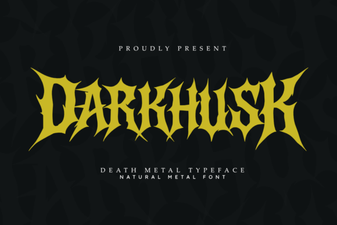 Darkhusk Font: Design Inspiration & Creative Projects
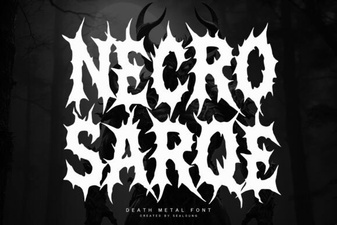 Necrosarqe Fonts for Creative Typography Projects
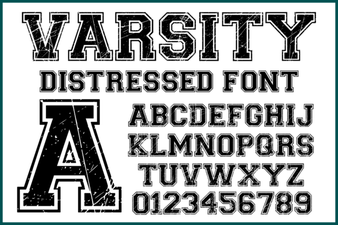 Varsity Distressed Font: Style and Design Ideas
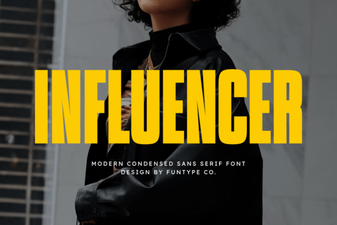 Crafting Font Styles for Social Media Influencers
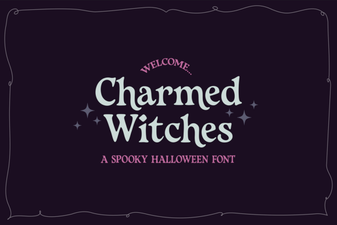 Charmed Witches Font for Your Creative Projects